Rendering Images
Image projects use Zvid's composition model to render a PNG, JPG, or WebP.
Set type: "image", use static IMAGE, TEXT/HTML, or SVG visuals, and
omit video-only timing, audio, and scene fields. Positioning, text styling,
filters, and safe customCode remain available.
First image
Create an API key and use this complete request.
It costs 1 credit. To validate it for free first, send the same body to
POST /api/render/validate/api-key instead; see
Validate and estimate.
curl -X POST https://api.zvid.io/api/render/image/api-key \
  -H "x-api-key: YOUR_API_KEY" \
  -H "Content-Type: application/json" \
  -d '{
    "payload": {
      "type": "image",
      "name": "hello-image",
      "width": 1200,
      "height": 675,
      "outputFormat": "png",
      "backgroundColor": "#ffffff",
      "visuals": [{
        "type": "TEXT",
        "text": "Hello, Zvid!",
        "position": "center-center",
        "style": { "fontFamily": "Poppins", "fontSize": 72, "color": "#111111" }
      }]
    }
  }'
You can submit an image payload to the regular /api/render/api-key endpoint
too. The /api/render/image/* endpoints set type: "image" on an inline
payload; when using a stored template, that template must already be an image
project. overrides cannot change a template's type.
Image-Specific Fields
| Field | Type | Default | Notes |
|---|---|---|---|
type | "image" | "video" | Switches the render to image output. |
outputFormat | png | jpg | jpeg | webp | png | Video formats are rejected for image renders. |
transparent | boolean | false | Transparent background. PNG/WebP only — rejected with jpg. |
quality | 1–100 | encoder default | JPG/WebP compression quality — rejected with png. |
snapshotTime | number (seconds, 0–3600) | start | Which moment of animated content (e.g. a customCode animation) to capture. |
Converting a video composition
- Set
type: "image"and choose an imageoutputFormat. - Remove root
duration,durationMode,frameRate,audios,scenes,subtitle, andthumbnail. Move the desired static scene visuals into the rootvisualsarray if necessary. - Replace
VIDEOandGIFelements with static assets; these types are rejected in image projects. - Remove element
enterBegin,enterEnd,exitBegin,exitEnd,videoBegin,videoEnd,videoDuration,transition,transitionId, andtransitionDuration. Image elements are always visible. - Run hosted validation before rendering.
snapshotTime chooses a moment in time-based HTML/custom-code content. It
does not make video/GIF elements valid or provide video-frame extraction.
Use PNG or WebP for transparency; JPEG rejects transparent: true.
Examples
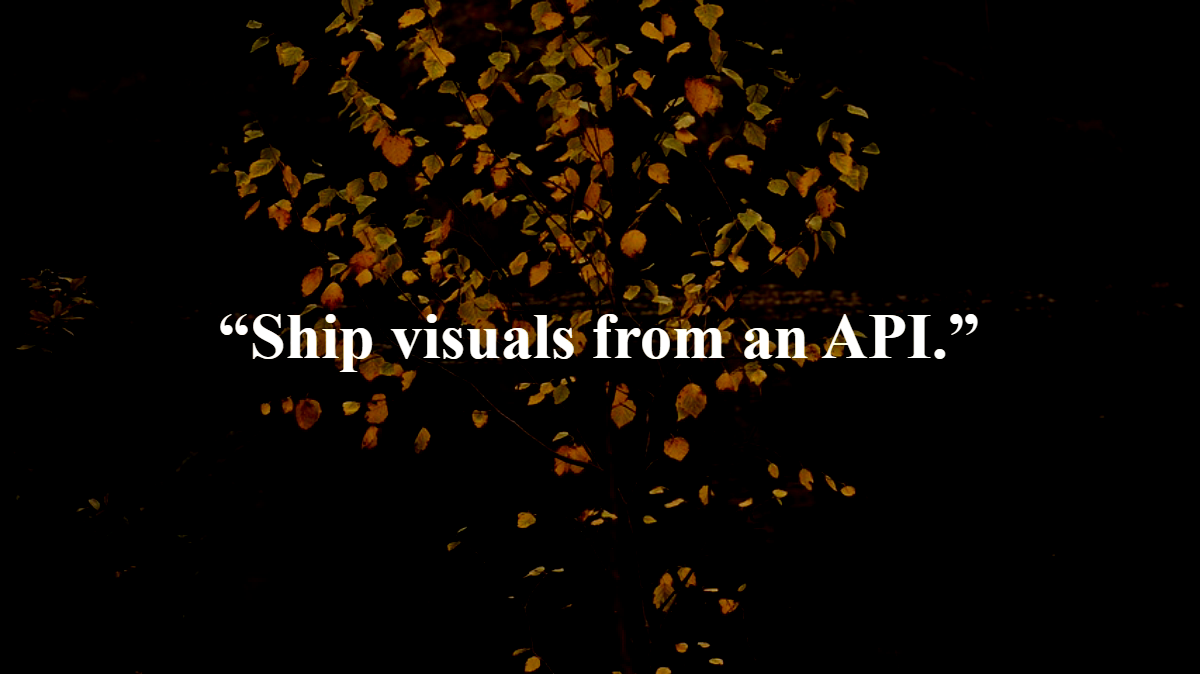
A social graphic
{
  "name": "docs-img-render-basic",
  "type": "image",
  "width": 1200,
  "height": 675,
  "outputFormat": "png",
  "backgroundColor": "#140b2e",
  "visuals": [
    {
      "type": "IMAGE",
      "src": "https://cdn.pixabay.com/photo/2024/10/02/18/24/leaf-9091894_1280.jpg",
      "width": 1200,
      "height": 675,
      "position": "center-center",
      "resize": "cover",
      "filter": {
        "brightness": -20
      }
    },
    {
      "type": "TEXT",
      "html": "<div class=\"q\">“Ship visuals from an API.”</div>",
      "position": "center-center",
      "customCode": {
        "css": ".q { color: #ffffff; font-family: Montserrat; font-size: 64px; font-weight: 800; text-shadow: 0 4px 24px rgba(0,0,0,0.6); }"
      }
    }
  ]
}
Transparent sticker (PNG with alpha)
{
  "name": "docs-img-render-transparent",
  "type": "image",
  "width": 800,
  "height": 600,
  "outputFormat": "png",
  "transparent": true,
  "visuals": [
    {
      "type": "TEXT",
      "html": "<div class=\"sticker\">NEW DROP</div>",
      "position": "center-center",
      "customCode": {
        "css": ".sticker { color: #ffffff; font-family: Poppins; font-size: 72px; font-weight: 800; padding: 28px 56px; background: linear-gradient(135deg, #7c3aed, #d946ef); border-radius: 999px; transform: rotate(-6deg); box-shadow: 0 12px 40px rgba(124,58,237,0.5); }"
      }
    }
  ]
}

The Open Graph image for docs.zvid.io is generated by this exact feature — a
1200×630 type: "image" render.
Credits
Image renders cost 1 credit per image, including bulk renders — resolution-independent. A single image render costs 1 credit; a bulk render of 25 images costs 25 credits.
Response
The submit/poll flow is identical to video — see the
Quick Start. A completed job's output points at the image
file; there is no separate thumbnail. Read result.url when result is an
object, or use result directly when stored history returns a URL string.
See Render lifecycle for both response shapes.
In the Editor
The editor has a first-class image mode: New → Image hides the time-domain tools (timeline, audio, scenes, subtitles) and the render dialog offers format, quality, and transparency options. See Rendering & export.
Related
- Quick Start
- Bulk rendering
- Templates — data-driven image batches